
Quick start
LLM Usage reads usage records already saved by agents. You do not need to sign into your model provider or make an additional model request to view statistics.
Install and open
- Download the package for your OS and CPU architecture from the latest Release. Follow the installation guide to extract or install it.
- Open LLM Usage. In Settings, choose your language, theme and statistical timezone.
- Open Sources to inspect discovered agents, their paths, versions and collection status.
- Use Refresh to collect enabled sources. Inspect both the results and any coverage notes.
- Open Overview for today, Trends for a longer period, and Details to inspect the normalized usage records behind the charts.
The desktop application supports ten languages. Its existing default is Simplified Chinese; the documentation defaults to English and chooses Chinese for a supported Chinese browser language. Documentation language does not change application settings.
Confirm your first result
Collection reads usage saved in local agent files/databases. A newly installed agent or an empty session may not have any usage yet. Some clients record requests without token fields; those values remain unknown. Check client support for format and version limits.
If no data appears, check the selected user, time range, source enablement, data path and source status. Follow troubleshooting before changing or deleting the application database. Unknown fields are displayed as gaps rather than zero.
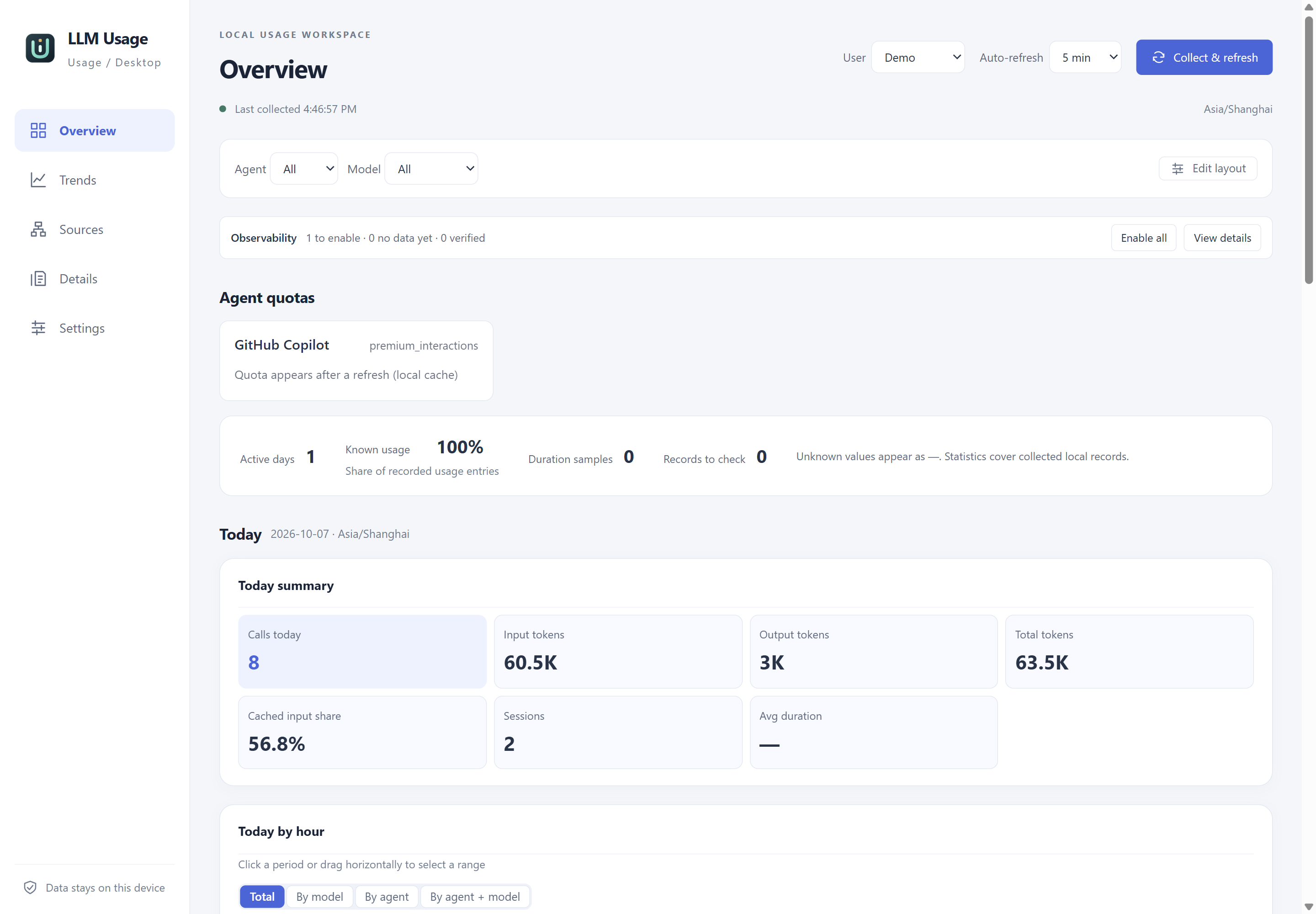
Actual application UI in English. The example records are synthetic and isolated from personal agent data; they illustrate the interface and do not verify a client version.
Optional settings
Collection uses a global interval of one hour by default. Set the interval to zero to disable automatic collection; manual refresh still reads enabled sources. Windows login startup and background tasks, cost estimates, price downloads, the local HTTP receiver and usage and cost alerts require explicit enablement. See their dedicated guides before use.