
llm-usage
total release downloads Windows x64 portable size repo size
LLM Usage is an AI usage dashboard: model tokens, requests and caching. It is currently pre-alpha, with Overview, Trends, Details, Sources and Settings implemented. It supports complete normalized detail import/merge and optional daily/monthly token or single-currency estimated-cost reminders.
Download the latest Release for Windows,
Linux or macOS in x64 or arm64. Portable packages use .tar.zst; a Windows x64 installer
is also available. See installation instructions.
Collection reads local agent records and can be scheduled in the UI. The adapter matrix lists supported formats, versions and source limitations.
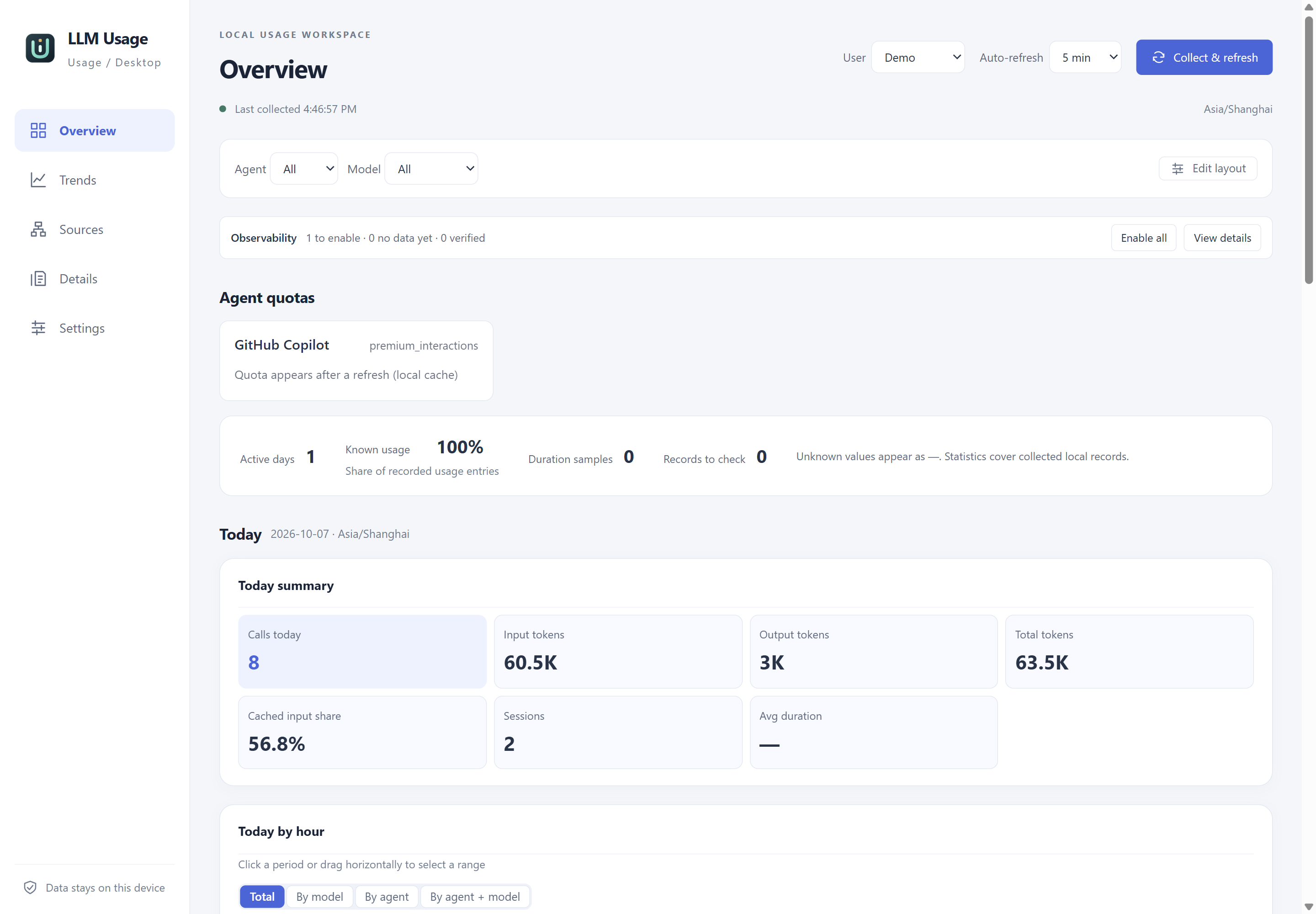
Overview in version 0.2.1: actual Windows desktop UI with isolated synthetic demo data. Select the image to view the original 2880×2000 PNG. The documentation homepage also illustrates trends, record details, source management and settings in both themes.
Documentation
English documentation · Chinese documentation · Chinese repository README
The Astro/Starlight site includes user and developer guides, design specifications and validation records. English is the default; the entry page selects a supported browser language and stores explicit choices. Both light and dark themes are available. Repository documents and source comments use English, with Chinese counterparts maintained alongside them.
- Execution plan: current results, execution scope and deferred conditions.
- Implementation readiness: confirmed scope and real-data validation procedure.
- Detailed design: architecture, statistics, adapters, configuration and tests.
- Research sources: official sources, fixed code and static prototype review.
- Collection scheduling and platform/CI: background and platform requirements.
- Validation records: actual execution records starting at M0.
- Application assets: Usage U design, previews, regeneration and Git LFS.
- previous-draft: historical reference; runtime behavior has not been accepted.
- AGENTS.md: shared engineering rules.
- Skills: maintenance workflow and resources loaded as needed.
Common commands
Use Node.js 22+ (24 in current CI) and Rust (1.99.0, selected by rust-toolchain.toml). The Astro site requires Node 22.12+.
Run commands from the repository root:
git lfs install --local # Enable LFS for this clone once.git lfs pull # Download actual icons and static/binary assets.npm ci # Restore root documentation/tool dependencies.npm --prefix desktop ci # Restore desktop tool dependencies.npm run assets:check # Check asset formats, derivatives and LFS attributes.npm run lint:md # Check Markdown.npm run dev:web # Vite frontend only, http://127.0.0.1:1421, without a backend.npm run dev:desktop # Debug GUI and hot reload, without packaging.npm run check # Frontend types with svelte-check.npm run build:web # Build frontend output.npm run test:rust # Rust tests.npm run test:ui # Pure frontend logic regressions.npm run test:browser # Five-page mock-IPC browser checks; installed Edge on Windows.npm run clippy # Rust static checks with -D warnings.npm run fmt:check # Rust formatting.npm run build:desktop # Release desktop packages, according to platform.npm run test:headless # Real executable/SQLite, isolated synthetic sources; build first.npm run test:desktop # Windows native WebView2/IPC, requires CDP; build first.npm run verify # Docs, types, script/UI tests, Rust checks/tests and frontend build.npm run dev:docs # Astro documentation development server.npm run check:docs # Translation/content checks and Astro types.npm run build:docs # Production site and local-link checks.npm run test:docs # Documentation behavior regressions.npm run test:docs:browser # Production-site browser checks.Alternatively, pnpm install --frozen-lockfile restores the root and desktop workspace
using the pinned pnpm 12.10.1. The same commands support pnpm run; keep both npm locks
and the shared pnpm lock synchronized when changing dependencies.
test:browser starts and stops its own Vite server and writes screenshots to build/browser-smoke/.
On other platforms, first run npx playwright install chromium inside desktop.
Mock IPC does not replace native desktop, system-task or installation acceptance; see
current acceptance for results and gaps.
Native/headless harnesses use isolated synthetic sources and write to root build/plan-completion/.
test:desktop defaults to release; a debug build can use -- --dev --exe <debug executable>.
Use dev:desktop for ordinary functional checks without packaging. Business commands and resolved
versions come from the desktop/Cargo manifests and locks. Documentation checks do not verify runtime
behavior; M0 measurements are retained in the validation records.
Windows background collection is off by default. Settings can enable the current user’s minute task
and display requested/effective state. LLMUsage.exe --headless follows saved intent and due rules;
--scan-once manually scans all enabled sources. --data-dir <absolute directory> changes application
storage and exports, not discovery. Enable Only scan manually added directories to restrict both
GUI and background discovery to the saved roots.
Images (including SVG), fonts, media and binaries use Git LFS. Download real assets before building.
Regenerate icons with npm run assets:generate. For the asset preview, run npm run dev:web and open
http://127.0.0.1:1421/asset-preview.html. Documentation output is in build/documentation-site/dist/.