
Manage data sources
Discovery and manual directories
Open Sources to review detected local files/databases. Discovery is adapter-specific and uses verified native layouts and environment settings. A directory is not accepted merely because it contains an agent name. Application-managed roots route to the appropriate file/database adapter; the same physical file is not registered under multiple adapters.
If an agent uses a custom local directory, add its verified data directory/file manually. WSL/container sources must be added explicitly with their instance identity; the app does not launch or scan those environments automatically. A network share, downloaded remote report or synchronized cloud session is not certified as a local source by being on disk.
Only scan manually added directories restricts both GUI and saved background launches.
Changing --data-dir alone does not restrict discovery.
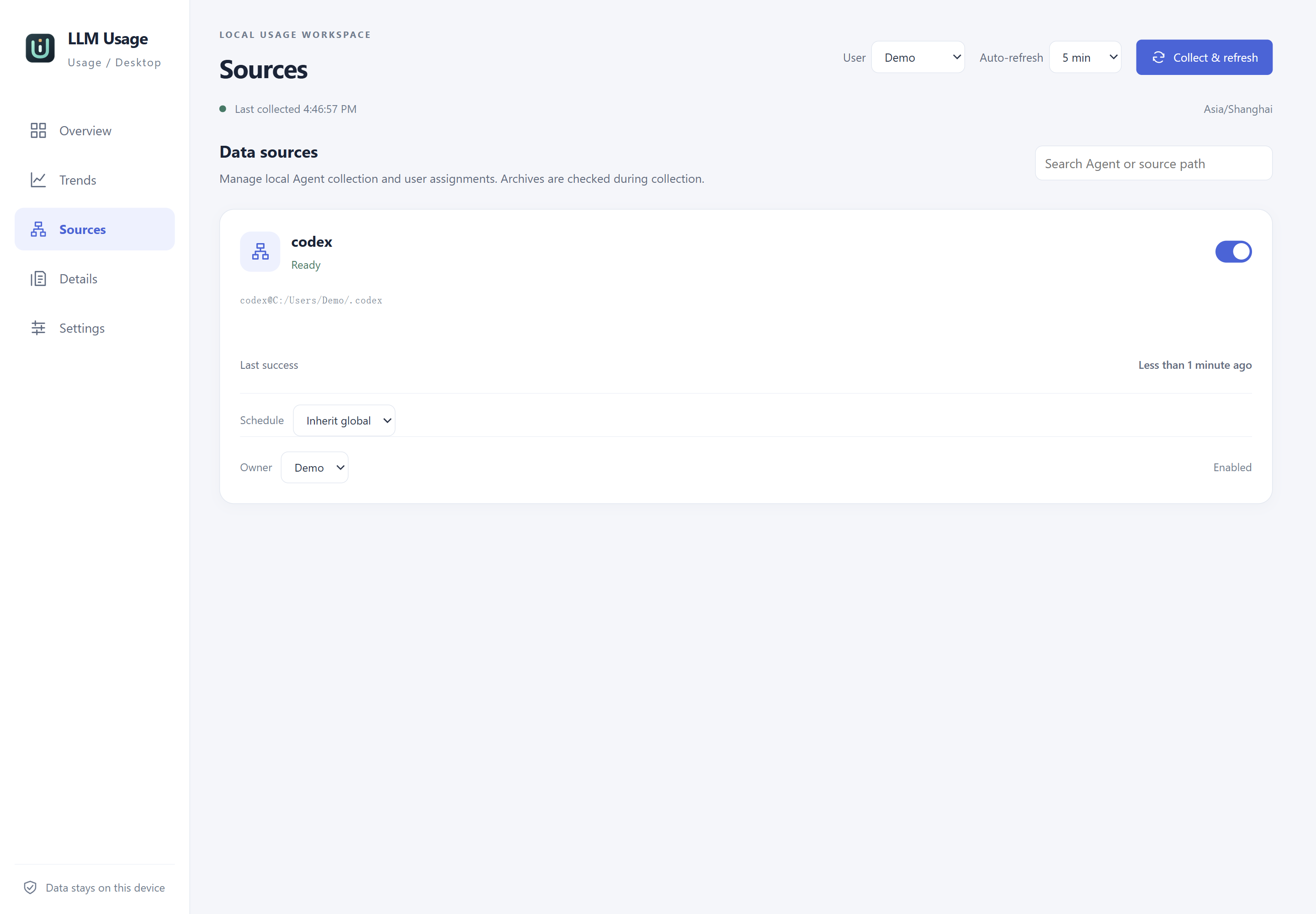
Actual application source page with isolated synthetic data. Task paths are anonymized as Demo paths; no personal source directories are displayed.
Enablement and users
Enable or disable each source independently. Disabling stops future collection but keeps observed history. Manual refresh reads every enabled source, including sources with a separate automatic schedule. The scheduling guide explains deadlines, pause controls and Windows background tasks.
Sources belong to local statistical users. Reassigning ownership affects the user’s statistics without inventing or duplicating usage. A display alias helps identify a host but does not change its stable identity. Imported sources retain their original identity, start disabled and require explicit review before local collection.
Interpret status
| Status or note | Meaning and action |
|---|---|
| Ready | The checked file/database can be read. Inspect field coverage separately. |
| Waiting for collection | No qualifying collection has completed yet. Refresh and inspect the native file/database. |
| Some data needs review | Inspect unsupported versions, invalid fields, attribution or conflicts. Valid records can still be present. |
| Read failed | Check the real error, access, data path and file state; other sources continue collecting. |
| Version not verified | A compatibility parser may have accepted the format, but this does not verify that client version. |
| Input incomplete | A reported value is a lower bound; this alone does not make source health fail. |
A newly installed version must be checked against its own nonempty records. The highest version in a database does not identify older sessions’ versions. Rescanning is idempotent and can reevaluate parser rules on previously consumed, unchanged files; clearing the database is not the normal recovery method.